

Simple message
Sends a single text message. If you need several messages in a row, a picture, a video or a file, use the "Message chain" block.
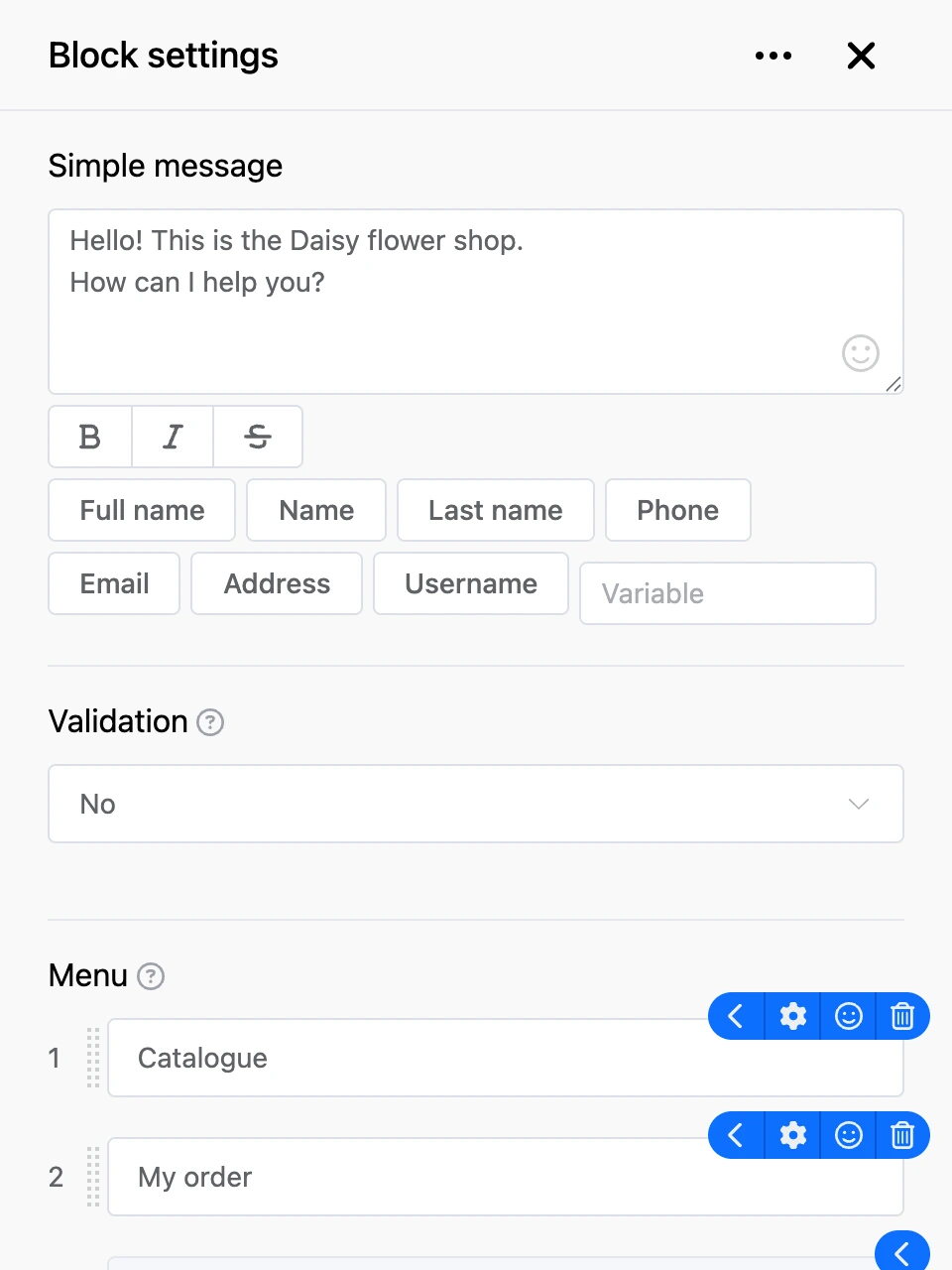
Settings
- "Simple message" — the text the person will see. The field is required. The buttons under the field format the selected text: bold — between
*, italic — between_, strikethrough — between~. The smiley icon in the field inserts an emoji. - The "Full name", "Name", "Last name", "Phone", "Email", "Address", "Username" buttons and the "Variable" field — insert the contact's data and variables into the text. See Templates for details.
- "Validation" — a check of the person's reply, see "Validation".
- "Menu" — the block's buttons, see "Menu".
- "Advanced" — the block's switches, see "Advanced".
Outputs
- Buttons from the "Menu" section — each has its own output. It fires when the person presses the button or types its name.
- "Any other phrase" — the person replied with something that is not among the buttons.
- "Continue" — the bot moves on right after sending the message, without waiting for a reply.