

Countdown
A countdown to a set moment: the end of a promotion, the start of a webinar, the delivery time. The countdown runs right on the screen, every second.

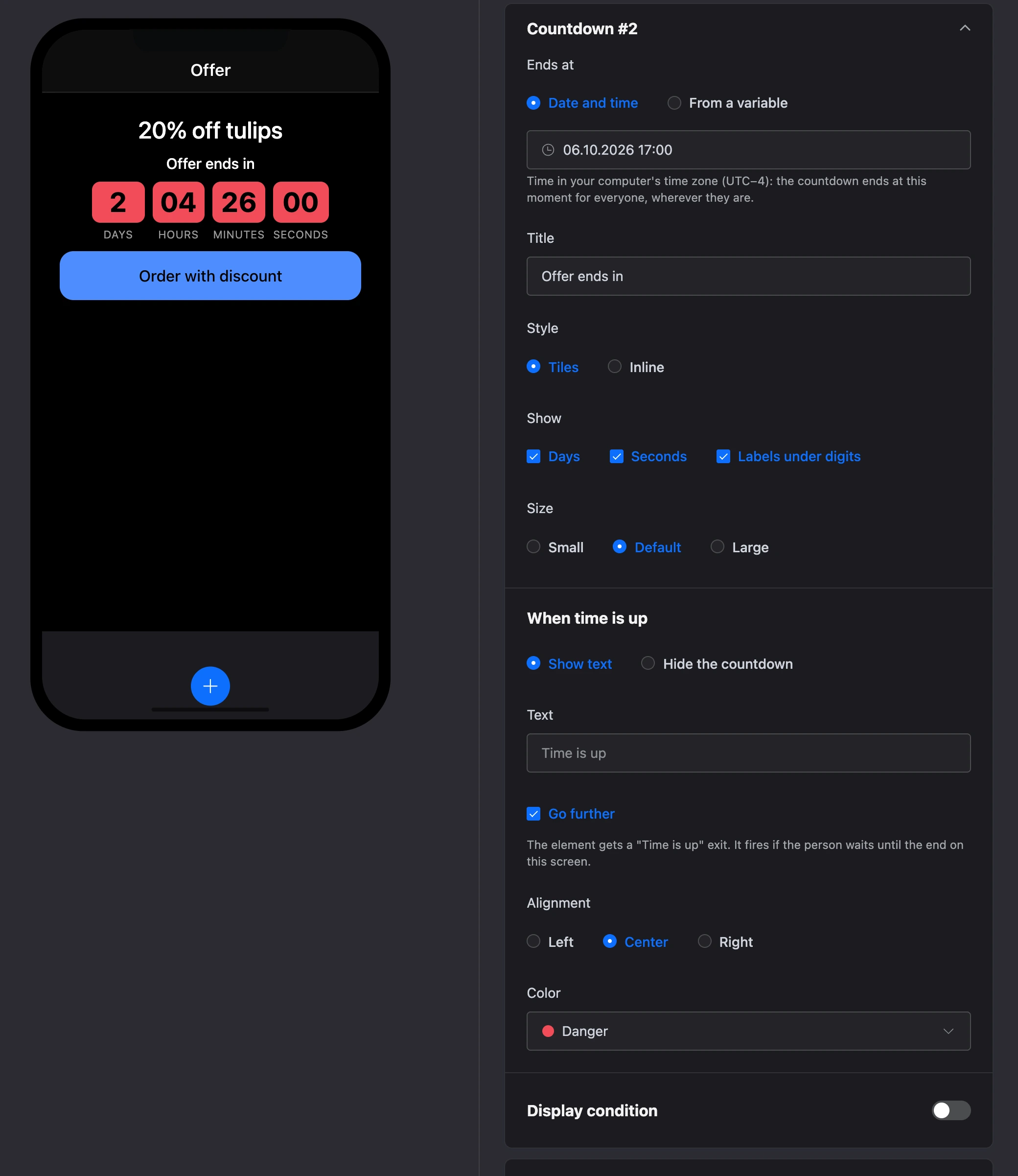
Ends at
- "Date and time" — the moment is picked in a calendar. The date is set in your computer's time zone — it is shown in the hint under the field. The countdown ends at that moment for everyone, wherever they are.
- "From a variable" — the moment is taken from a variable, for example from the response of the "HTTP request" block or from a list record. The date in the variable is written like this:
2026-12-31 18:00or2026-12-31T18:00:00+03:00. Without a time zone, the time is counted on the person's device.
A new countdown ends in three days.
Appearance
- "Title" — text above the digits, for example "Sale ends in".
- "Style" — "Tiles" (each number in its own tile) or "Inline".
- "Show" — "Days", "Seconds" and, for tiles, "Labels under digits". Without days, hours are counted in full: 50 hours, not 2 days 2 hours. Without seconds, minutes are rounded up.
- "Size" — "Small", "Default" or "Large".
- "Alignment" and "Color" — as for other elements.
When time is up
- "Show text" — the text from the "Text" field appears instead of the digits. If empty — "Time is up".
- "Hide the countdown" — the element disappears from the screen. If the end has already passed, the builder shows the note "Time is up — the countdown is hidden in the app" in place of such a countdown.
- "Go further" — the element gets an exit.
Exit
With "Go further" ticked, the screen gets the "Time is up: Title" exit (without a title — "Time is up #N"). It fires if the person waited for the end of the countdown on this screen. If the person opened the screen when time was already up, the exit does not fire.