

Launch source
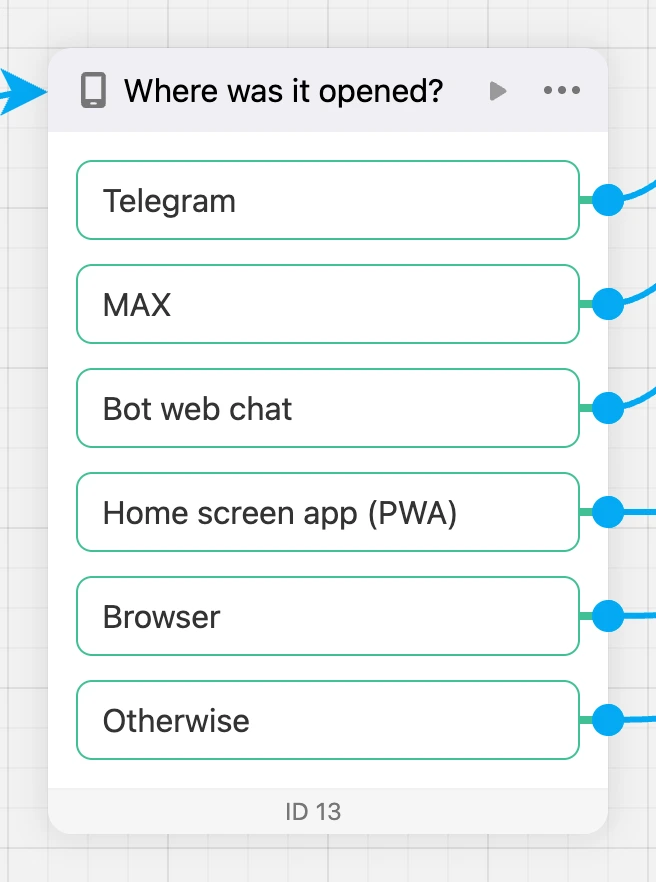
Splits people into branches depending on where the app was opened from. For example, those who came from Telegram or MAX get the main screen, and a browser guest gets a screen with a hint to open the app from the bot.

Settings
There are no settings — only exits. You do not need to click the block: draw links from the exits you need.
Exits
- "Telegram" — the app was opened with the bot's button in Telegram.
- "MAX" — opened with the bot's button in MAX.
- "Bot web chat" — opened from the website chat.
- "Home screen app (PWA)" — the person added the app to the home screen and opened it from there.
- "Browser" — opened by a link in a browser.
- "Otherwise" — the source was not determined, or the exit of this source is not connected to anything.
You do not have to connect all exits: unconnected sources go to "Otherwise".
Specifics
- The app determines the source on opening and puts it into the
launchSourcevariable:telegram,max,webchat,pwaorbrowser. It can also be checked with a "Condition" — "What to check" → "Launch source". - In preview, the source is chosen with the "Opened from" switch — so you can check every branch.