

Add a record
Creates a record in a project list: an order, a request, a review. Column values usually come from screen fields via variables.
Settings
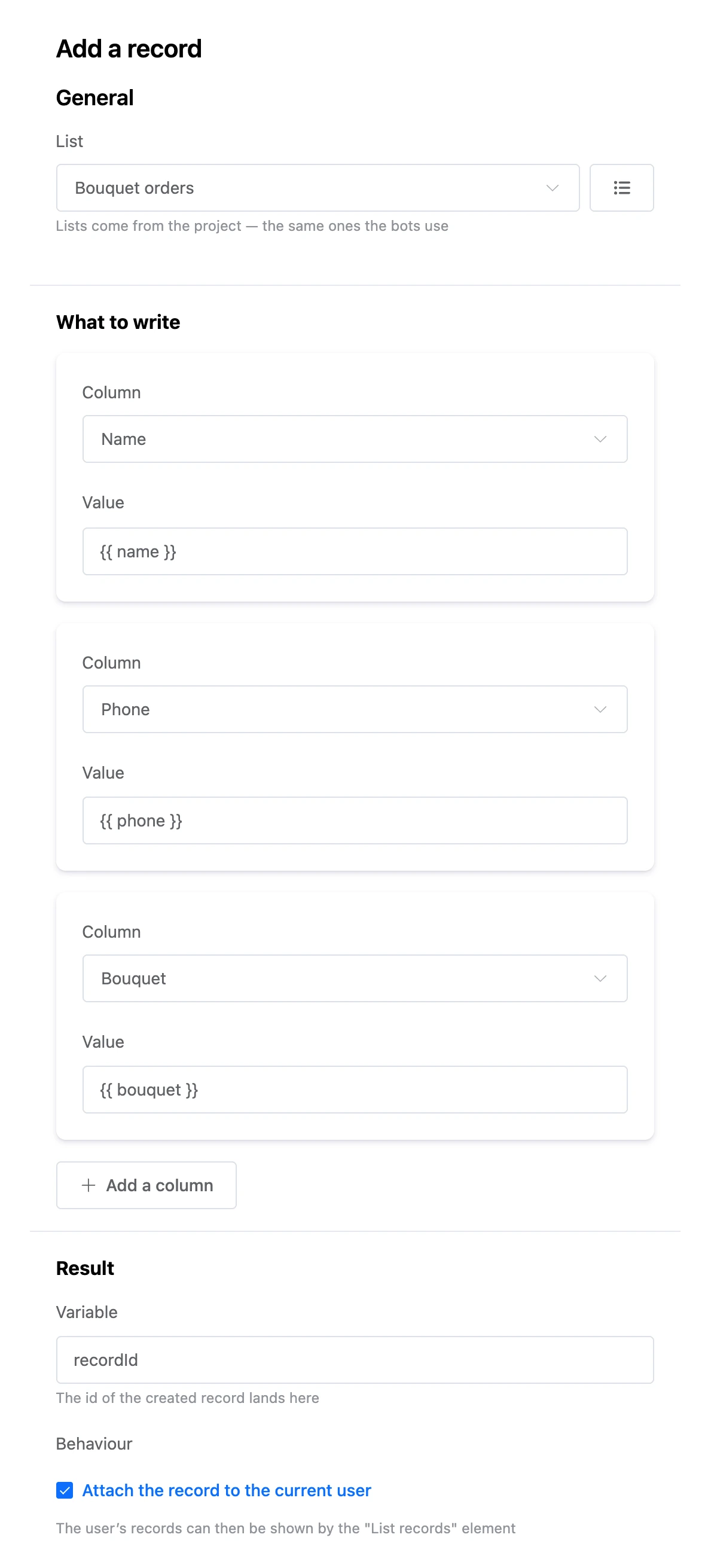
- "List".
- "What to write" — columns and their values, up to 50. The "Add a column" button adds a row. A value is text or a variable:
{{ phone }}. - "Variable" — the id of the created record lands here. The next blocks will find, change or delete the record by it.
- "Attach the record to the current user" — the record becomes the person's "own": the "List records" element with "Only the current user’s records" will show it, and blocks with the same option can change it.
Exits
- "Success" — the record is created.
- "Error" — the list is not selected or has been deleted.
Example
An order screen with "Name" and "Phone" fields → the "Send" button → "Add a record" to the "Bouquet orders" list, attached to the user → "Success" → the "Thank you" screen. On the "My orders" screen, the "List records" element with "Only the current user’s records" shows the person their orders.