

Messages
The "Messages" section holds the bot's conversations with all its contacts — from Telegram, VK, MAX, Viber and the website chat. Here you can see what a person wrote to the bot and what the bot replied, and here you can reply yourself: the message goes to the person in the same channel on behalf of the bot.
The section opens with the "Messages" item in the bot's menu.
What you need
- A Pro subscription. The section works with a subscription. What else depends on it is on the What is available without Pro page.
- A connected channel. A conversation appears when a person has written to the bot in one of the connected channels. You cannot be the first to write to a person who is not among the contacts.
- The messaging permission — for team members. The bot's owner always sees the section, a team member sees it if their role has the "Messaging with customers" permission. See the Operator's work page for details.
How the section is arranged
The window is divided into three parts:
- on the left — the list of conversations: the one with the latest message is at the top;
- in the centre — the conversation with the chosen contact and the reply field;
- on the right — a panel with the contact's card: their data, tags and variables.
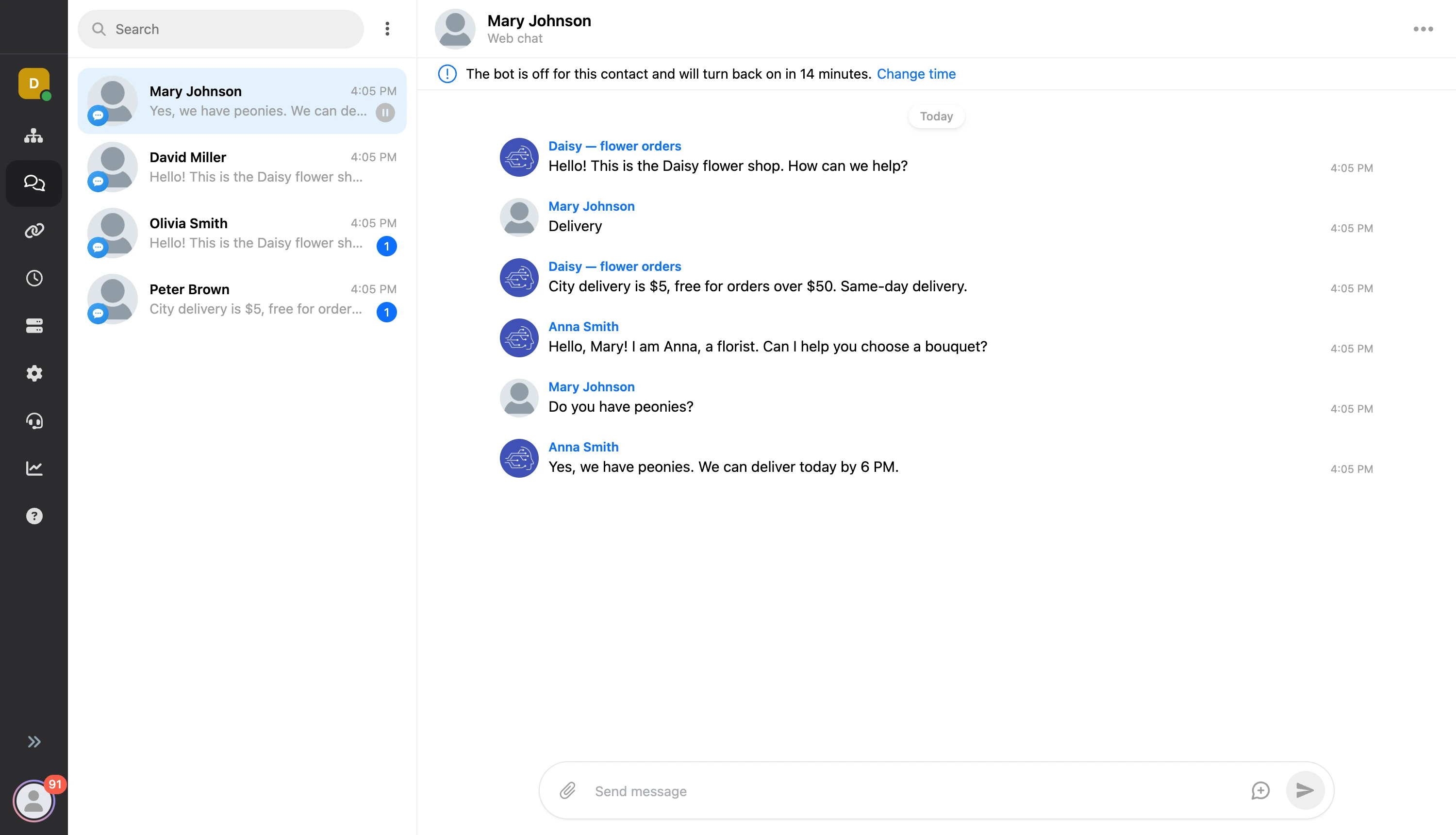

On a phone, the screen fits one part: first the list of conversations, and after you choose one — the conversation. The arrow in the conversation's header returns to the list.
New messages appear on their own, there is no need to refresh the page.
Pages in this section
- Conversations and messaging — the list of conversations and search, the message feed, sending text and files, reply templates, the conversation view and sound.
- Operator's work — how the bot hands a conversation over to a human, pausing and disabling the bot for a contact, the "correspondence only" mode, team members' permissions.
Website visitors
If the bot has a web chat connected, every visitor who opens the chat on the website becomes a contact, and their conversation appears in the common list. You can reply to them the same way as in a messenger: the reply arrives in the chat on the website. How to connect the web chat is on the Web chat page.
Testing the bot
The conversation you have while testing the bot in the builder does not get into the section.