

Slider
A number on a scale: a budget, a quantity, a term. The person drags the slider, and the value goes into the variable.
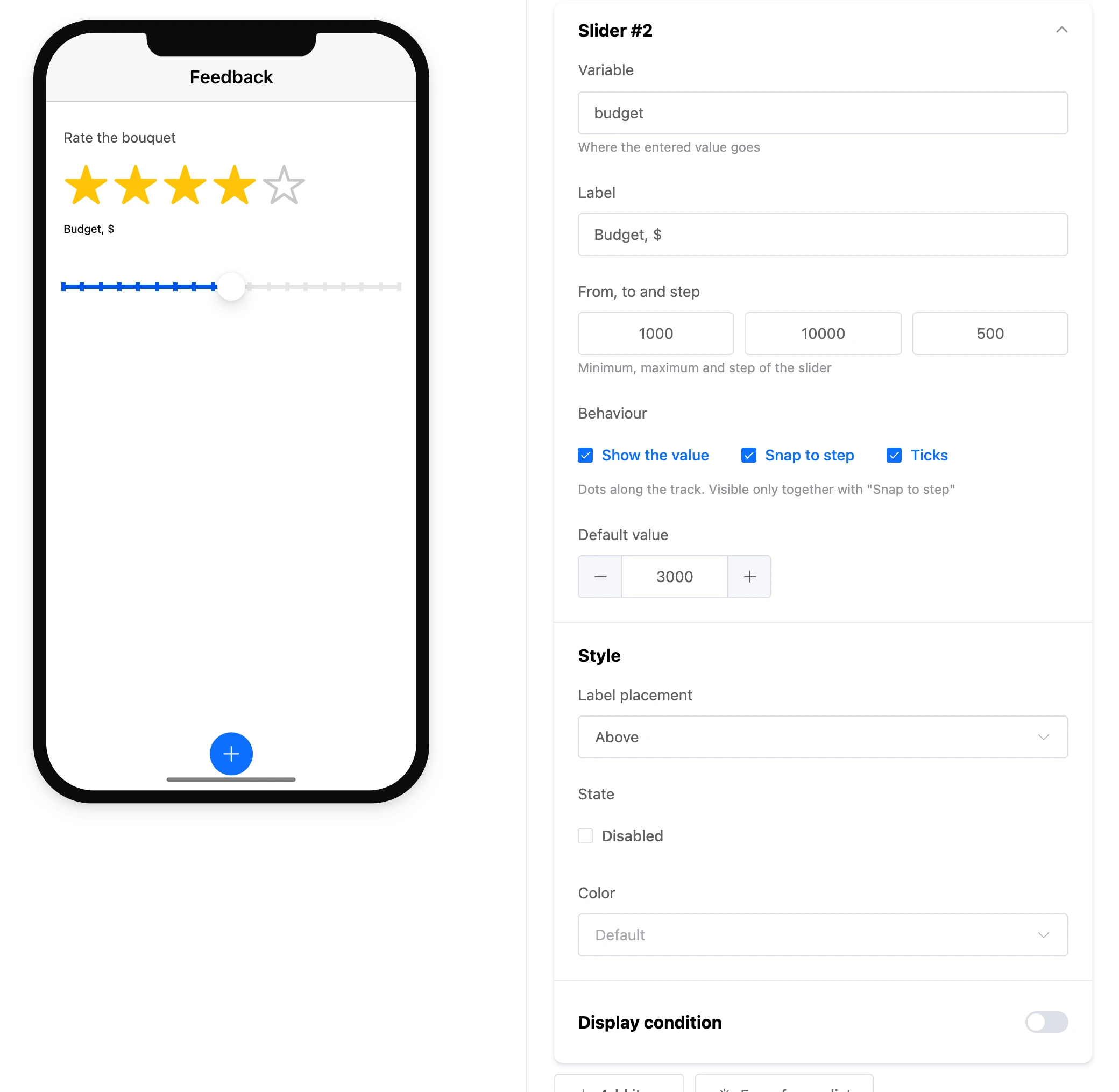

Settings
- "Variable" and "Label" — as for all fields.
- "From, to and step" — the slider's minimum, maximum and step. A new slider goes from 0 to 100 with step 1.
- "Behaviour":
- "Show the value" — a number above the knob while it is dragged;
- "Snap to step" — the slider stops only at steps;
- "Ticks" — dots on the scale. Visible only together with "Snap to step".
- "Default value" — where the slider stands when the screen opens.
- "Label placement" — "Left", "Right", "Left, fixed width", "Above".
- "Color" — the scale's colour from the app's palette.
- "State" — "Disabled".