

Telegram
A Telegram bot is connected with a token — a key issued by the official @BotFather bot.
Connecting
- In Telegram, open @BotFather and send the
/newbotcommand. - Enter the bot's name — people will see it in their chat list.
- Enter the bot's username in Latin letters. It must end in
bot, for exampleflowers_shop_bot. - BotFather will send a token — a string like
123456:ABC-DEF…. Copy it in full. - In the bot's scheme, click "Connect messenger", choose Telegram, paste the token into the "API token" field and click "Save".

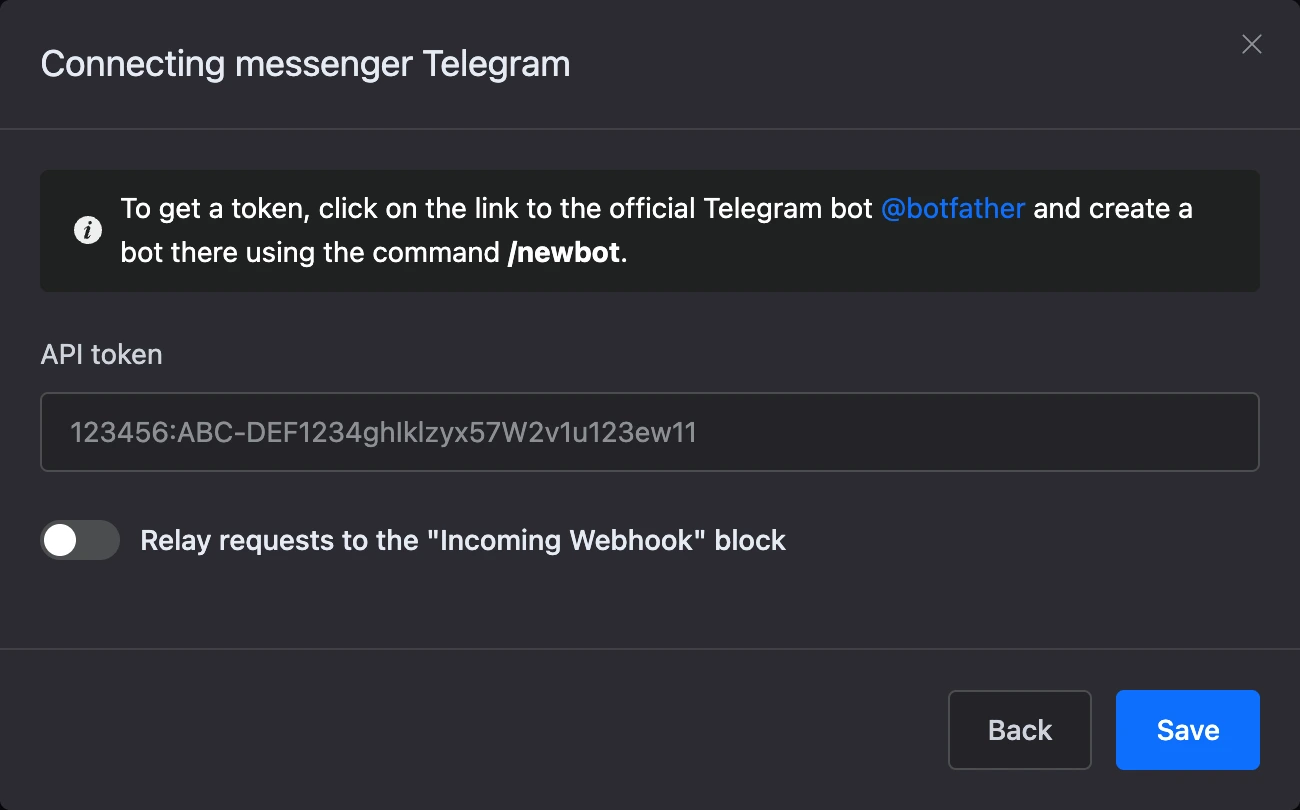
Leave the 'Relay requests to the "Incoming Webhook" block' switch off: only scenarios with that block need it.
After saving, the window shows the link to the bot and a QR code. Open the bot in Telegram and press "Start" — it will begin the scenario from the "Start" block.
Warning
The token is the key to your bot: anyone who has it can send messages on its behalf. Do not publish the token or share it with strangers. If the token has leaked, reissue it in BotFather with the
/revokecommand and paste the new one via "Edit".
What the bot can do in Telegram
- Buttons — under a message and under the input field, link buttons, a mini app button. Buttons can be coloured blue, green or red.
- Phone request — a person shares their number with one tap.
- Mini apps open right inside Telegram.
- AI replies can be typed out in front of the person as they are generated.
- Payments — the bot sends a button with a payment link and continues the scenario after the payment.
Groups and channels
The bot runs the scenario only in private chats. It does not reply in groups and channels, but it can check whether a person is subscribed to your channel or group. For that, add the bot there as an administrator.
If something does not work
- The token is not accepted. Make sure you copied it in full, without spaces or extra characters.
- The bot stopped replying in another service. A Telegram bot works with only one service at a time: once it is connected here, the previous service stops receiving its messages.