Search testing and statistics
Test the search
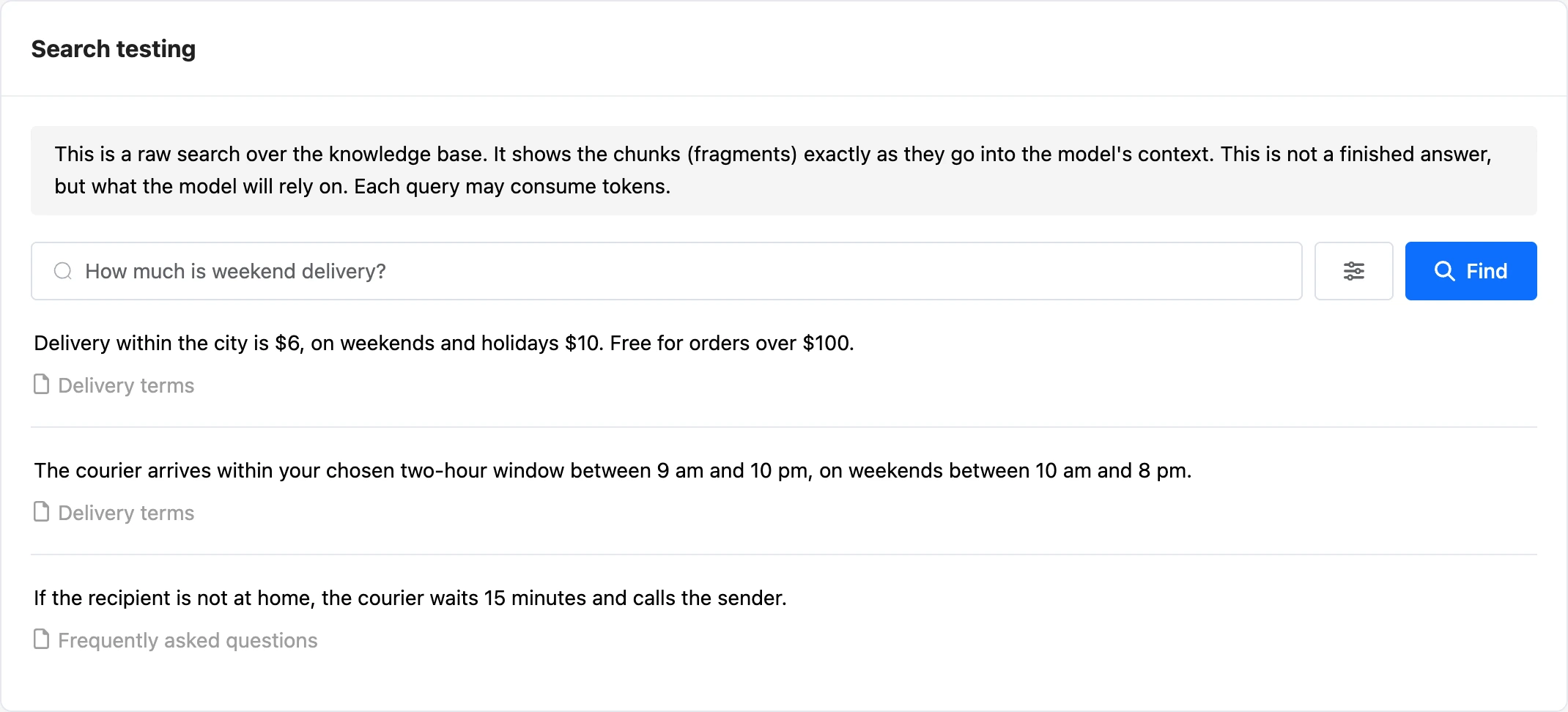
The "Search testing" page shows which fragments the base finds for a query. This is not a ready answer but what the model will rely on.
Enter a query and click "Find". Under each fragment is the document it was taken from.
The button with sliders opens the parameters:
- "Search type" — "Hybrid", "Vector" or "Full-text". Vector search looks for meaning, full-text search looks for words, and hybrid search combines both. Models always get hybrid search results; the other two modes are only for testing.
- "Minimum relevance" — for vector search: fragments below the threshold are discarded.
- "Number of fragments in the result" — from 1 to 20.
Queries from the testing page can also use the plan's tokens.
If the needed fragment is not in the results, add headings to the document or reduce the chunk size — see the Documents page.
Base statistics
The "Statistics" page has two subsections:
- "Statistics" — charts of token usage and the number of requests;
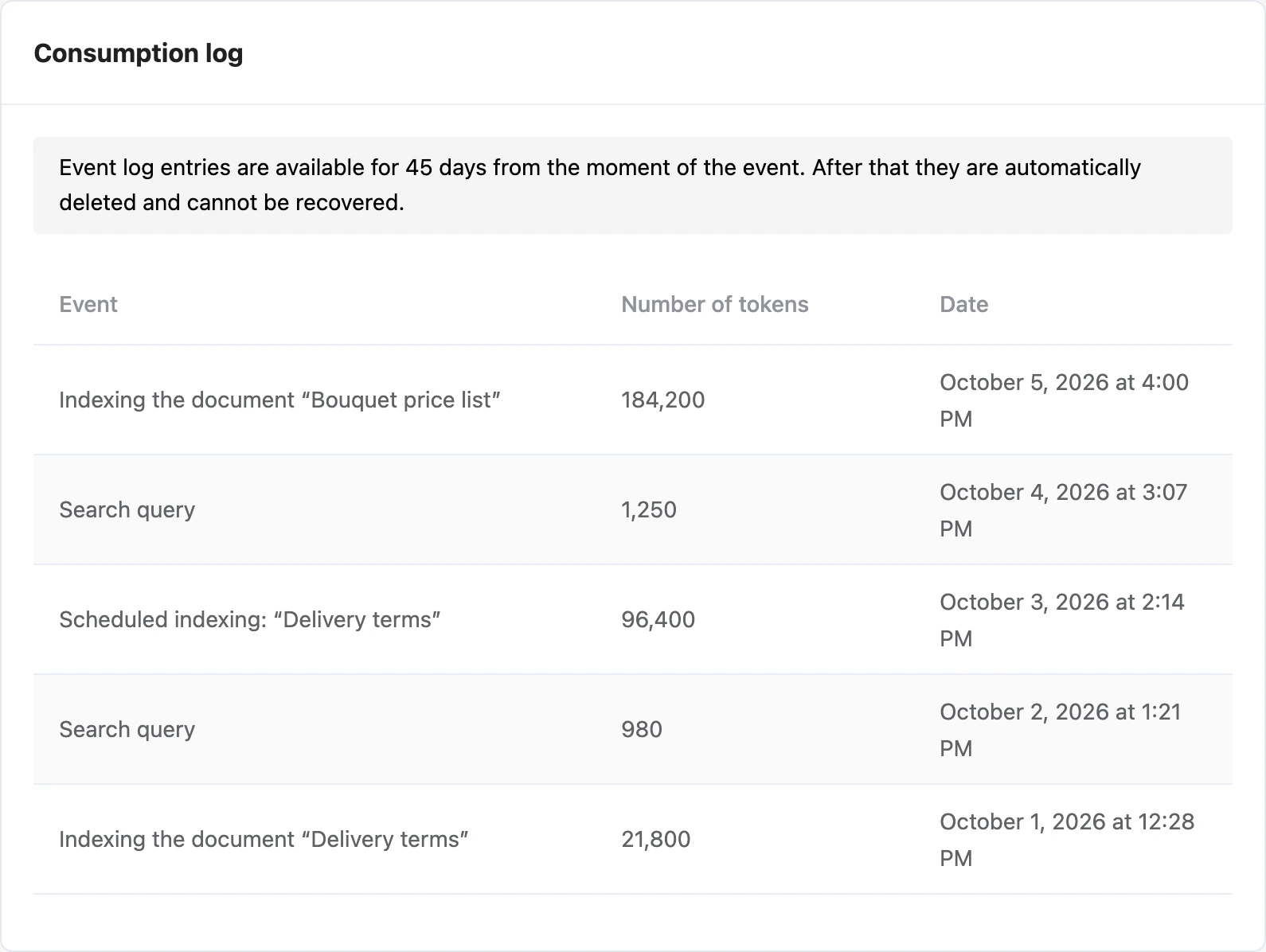
- "Consumption log" — events with the number of tokens: document indexing, scheduled indexing, a search query. Records are kept for 45 days.