

Creating and the list of landing pages
Create a landing page
- Open the project and choose "Mini landing pages" in the menu.
- Click "Create".
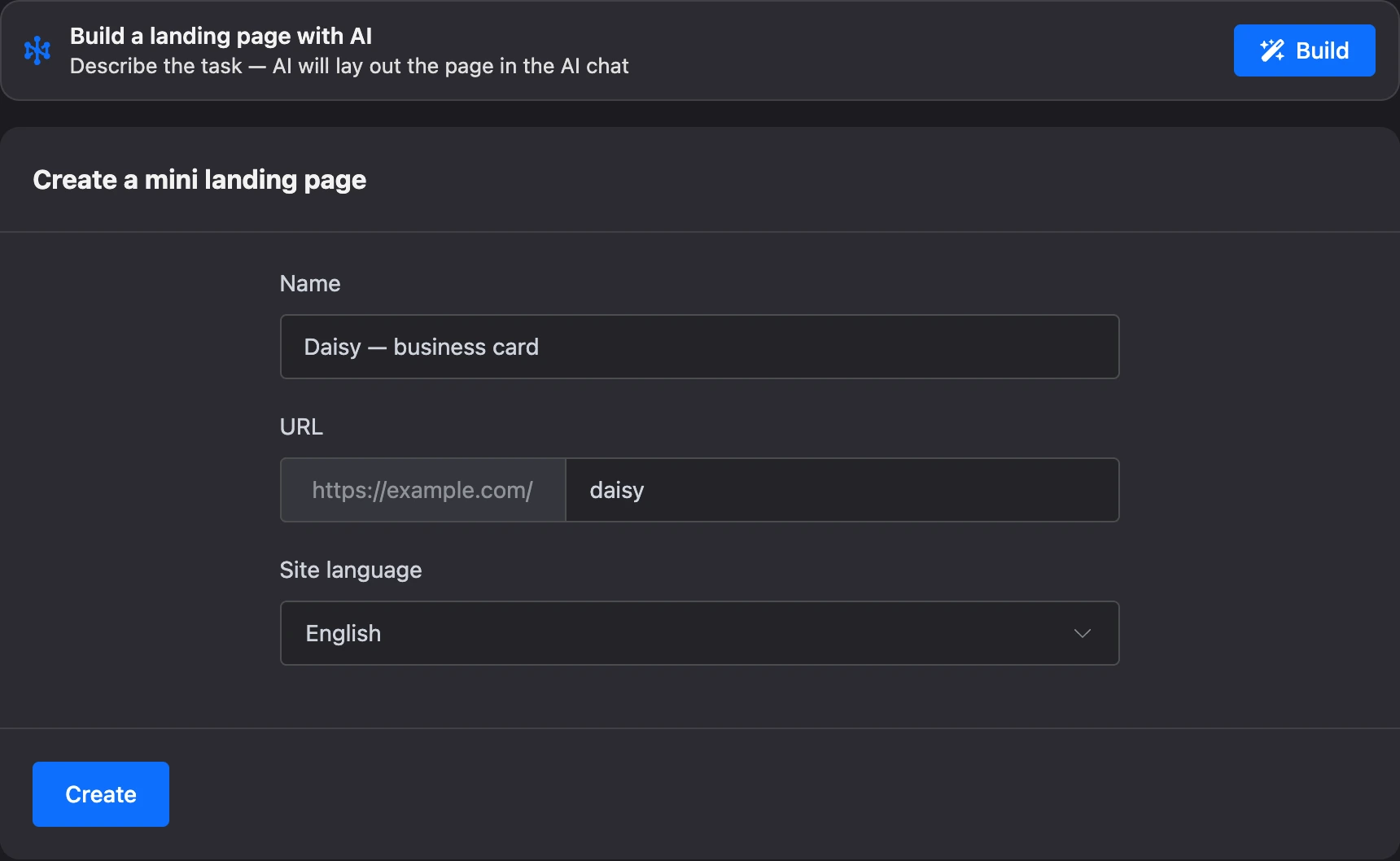
- Fill in the "Create a mini landing page" form:
| Field | What to enter |
|---|---|
| "Name" | The landing page's name for your account, up to 60 characters. For example, "Daisy — business card" |
| "URL" | The last part of the page address — Latin letters, digits, hyphen and underscore. The beginning of the address is shown before the field. For example, romashka |
| "Site language" | The page language. By default — the language of your account |
- Click "Create". The builder opens with the first page — it is called "Home".
Above the form is the "Build a landing page with AI" block: you can describe the page in words, and the AI will lay it out. See the Building a landing page in the AI chat page for details.

The address must be free: two landing pages with the same "URL" cannot exist on the platform. The name, address and language can be changed later in the landing page settings.
Note
A new landing page is a draft. It opens at its address only after publishing.
The list of landing pages
The "Mini landing pages" section of the project gathers all its landing pages. Their number is next to the heading.
- View. The switcher on the right shows landing pages as a "List" or as "Cards". A card shows a thumbnail of the first page and the landing page's address. The choice is remembered in the browser.
- Order. Landing pages are dragged by the icon on the left. The order is shared by all members of the project.
- Icon. A landing page shows its icon, and until there is one — the first letter of its name.
A click on a landing page opens the builder.
In the "⋯" menu on the right:
- "Rename" — change the name.
- "Duplicate" — create a landing page with the same pages, icon and language. The copy gets a name with the "(copy)" mark and its own address: a number is added to the original one. The domain and publication are not carried over to the copy — it stays a draft.
- "Move to ..." — move the landing page to another project of yours. The item is visible only to the project owner.
- "Delete" — delete the landing page together with its pages.
If something does not work
- "A project can have no more than 100 mini landing pages" — a hint on the disabled "Create" button. Delete landing pages you do not need or create one in another project.
- "You can create no more than 50 mini landing pages per day." Copies count too. Wait until the next day.
- An error at the "URL" field. The address is taken by another landing page or contains invalid characters — Latin letters, digits, hyphen and underscore are allowed.
- There is no "Duplicate" item in the menu. Copying is disabled for landing pages created a very long time ago.
- "Creating and editing mini landing pages is restricted for violating the platform rules." The restriction is imposed for a period after a moderator deletes a landing page — see the Publishing and your own domain page.